Safety Meetings
Safety Meetings are an essential addition to your organization’s safety toolbox. They provide an opportunity to answer questions, address any hazards on a worksite, and discuss the proper ways to execute procedures. It’s also a great time to review unsafe habits or behaviors, take corrective action, and talk about what to do to in case of injuries, accidents or emergencies.
Combating Complacency
Meeting regularly to discuss rules and guidelines helps keep workers safe. One of the biggest benefits of safety meetings is that they help combat complacency. It’s easy for workers to become complacent when they do a particular task or job often, making a workplace less safe. Offering a frequent reminder of workplace procedures and the need for safety is the best way to combat those moments.
Create meeting templates
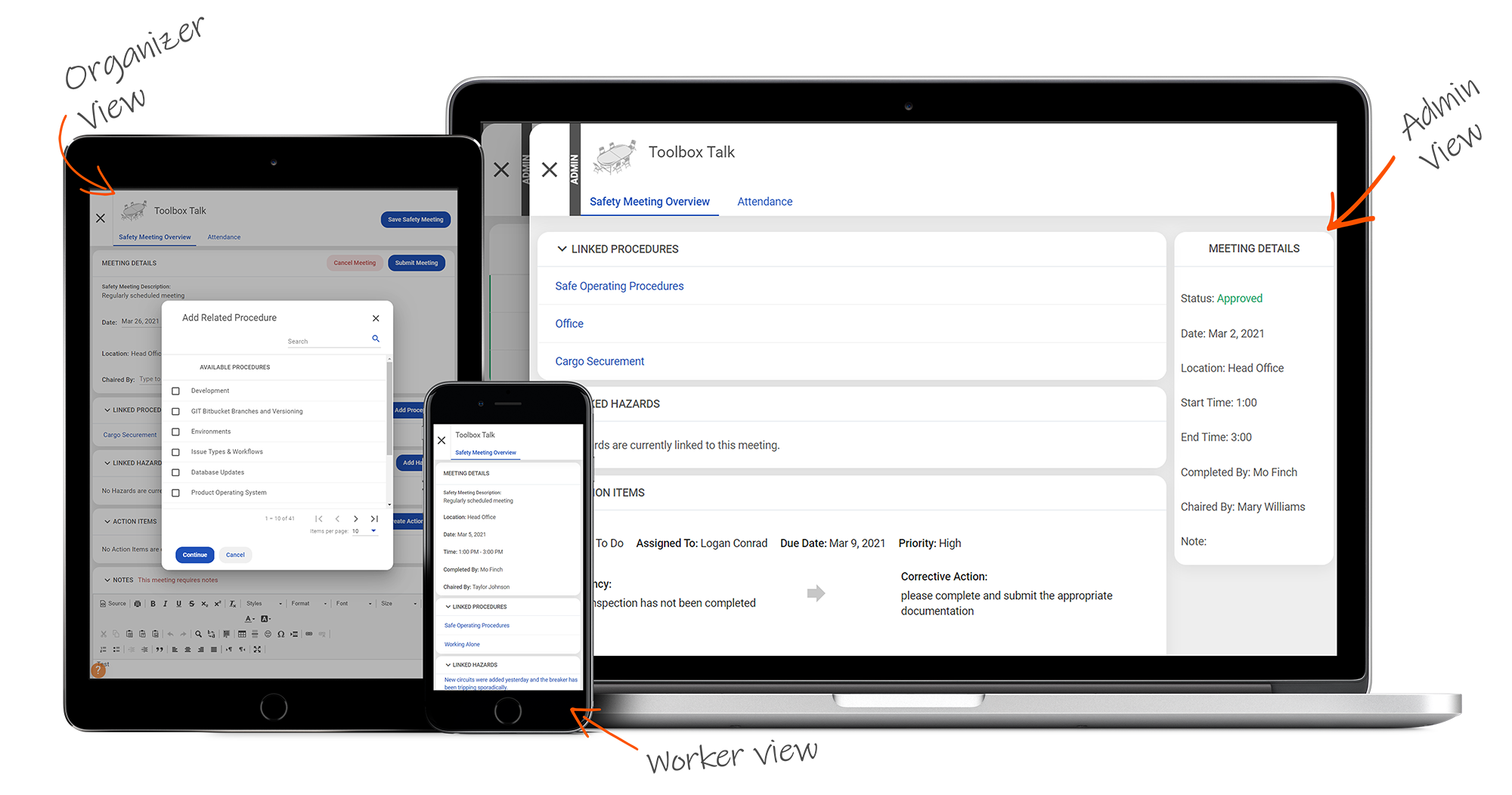
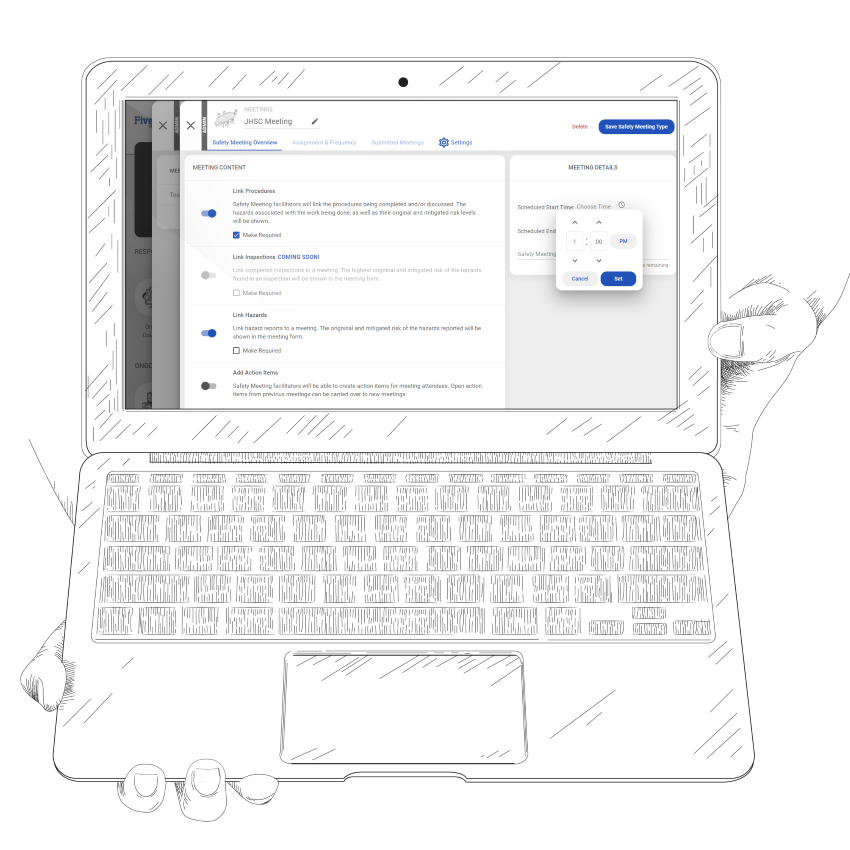
Our Safety Meetings component allows you to create a whole host of safety meeting type templates. These templates can be used by facilitators on your team to host, record, and submit meeting information each time a meeting of that type is held. When creating a meeting type template, an admin can include a default agenda to be followed, the option to link to specific procedures, incidents or hazards, inspections, or action items, choose possible facilitators, and assign the meeting type to its relevant locations. Settings also allow you to outline who needs to acknowledge a meeting, whether they missed it in-person or not. These templates allow your team to swiftly and easily host a safety meeting anywhere.
Schedule and facilitate your meetings
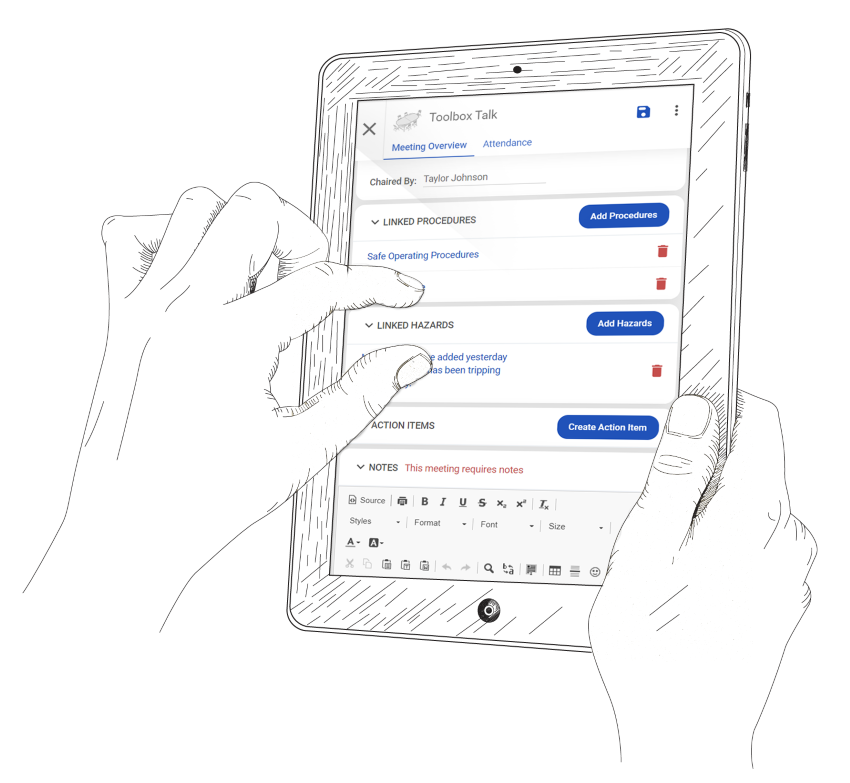
After creating your meeting templates, the folks you’ve chosen as facilitators can schedule meetings. After setting day and time for a particular meeting, they can include any information for it, invite the relevant workers from various locations, and attach any related items, such as any procedures reviewed or incidents discussed. Facilitators don’t need to be administrators in your organization, so as long as you’ve entrusted them to host a meeting, they can do so from the office, a tailgate, or in the field.
After a meeting has been held and all the details are included, facilitators can submit the meeting for admin review.
Workers can access meetings from anywhere
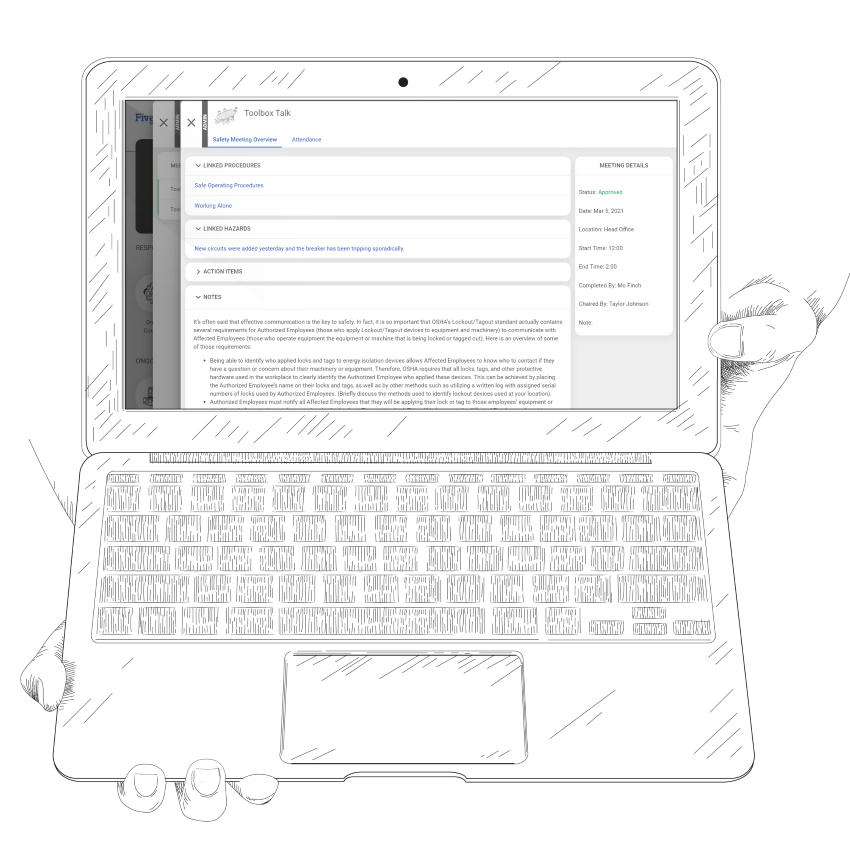
Your workers can now access safety meetings from any location, from the office to locations in the field. They can review any and all details for safety meetings they are invited to, mark themselves as having attended a meeting, and depending on settings, acknowledge meeting contents as well. Meetings are accessible on desktops, laptops, tablets, and phones, so workers are never caught without access and facilitators can host wherever they are!
The dash tile for Safety Meetings will notify workers if there are upcoming meetings they’re invited to attend, or if meetings need their acknowledgement after the fact. Facilitators will receive additional notifications if the meetings they need to host are past due.
Overview
Paper trail
Create a digital paper trail of what is discussed at safety meetings and who was in attendance.
Meeting Types
Develop meeting types to serve as templates for meeting creation. Choose whether they are not applicable, optional, or mandatory.
Supporting Documents
Link any relevant procedures, inspections, hazards, and action items to help support the discussion.
Set up
Workers create meetings from meeting types and select dates, times, attendees, and can leave preliminary notes.
Review
An administrator can review the meeting (if specified) and approve.
Missed Meetings
Missed meetings show up on the worker dashboard and meeting minutes will show up in the “Required” tab.
Still have questions?
Let our knowledgeable sales team give you a full product tour and answer any specific questions you may have.